

Get paid
When a referral you sent closes and earns a reward, Lasso pays you by bank transfer. Set up a payout method and a tax form once, and every payment after that goes out automatically. You can track each one under Payments.
Set up once
Two things have to be in place, along with any agreement your program requires signed, before a payment can be sent. Until then your earnings are held safely and paid as soon as you finish.
- 1Add a payout methodAdd the bank account your money should go to, and pick the currency you want to be paid in.
- 2Complete your tax formProvide your tax details on the right form for where you are. A verified tax form has to be on file before money can be released to you.
Your portal shows what’s still missing and links you straight to it. Look for a prompt about payout or tax setup on your dashboard, or open your profile. If you’re paid as a company, an admin on your side sets up the organization’s payout method and tax form once in the organization settings; if you’re paid personally, you set up your own in your profile. You only see the setup that applies to you.
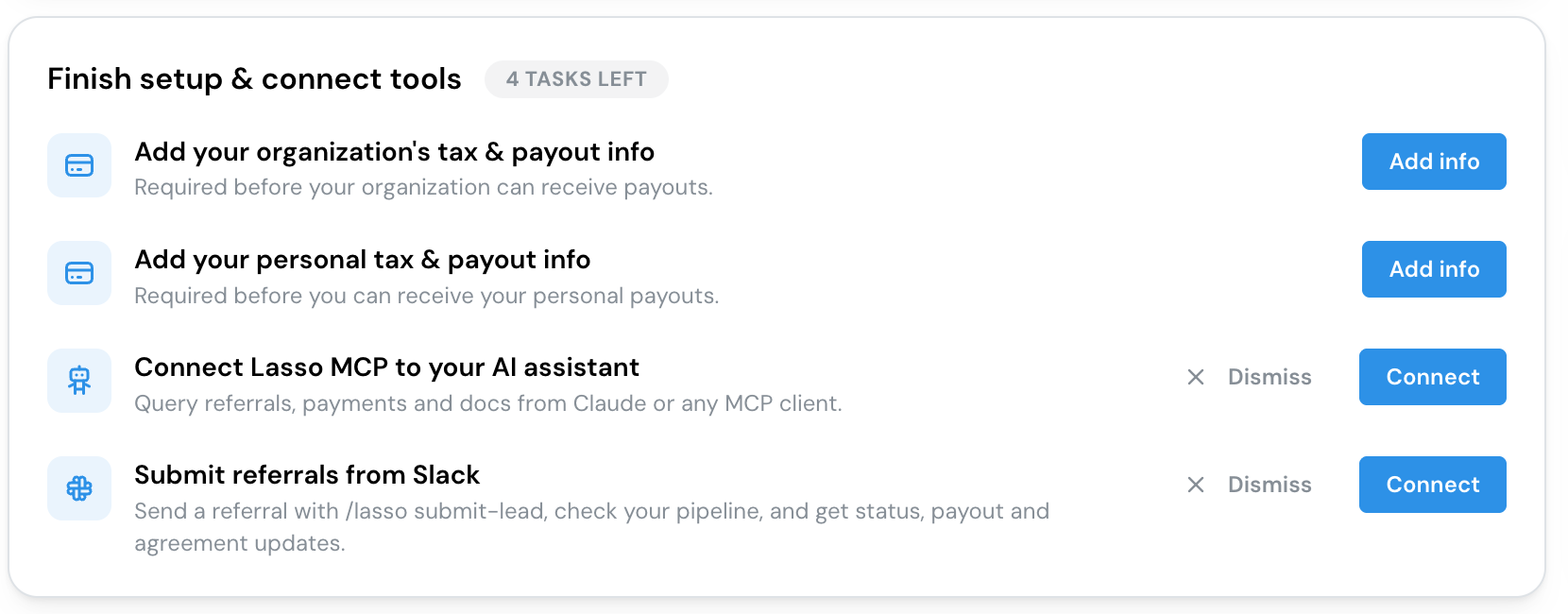
Adding your payout method
You’re paid by bank transfer, straight into your own bank account, in any of 49 currencies. Choose the currency you want to receive when you add your bank details, and Lasso asks for the details that currency and country need. Lasso converts the payment for you when it’s sent. If you’re paid in a different currency from your program’s, your payment details show the exchange applied. If your bank details change, update your payout method before your next payment.
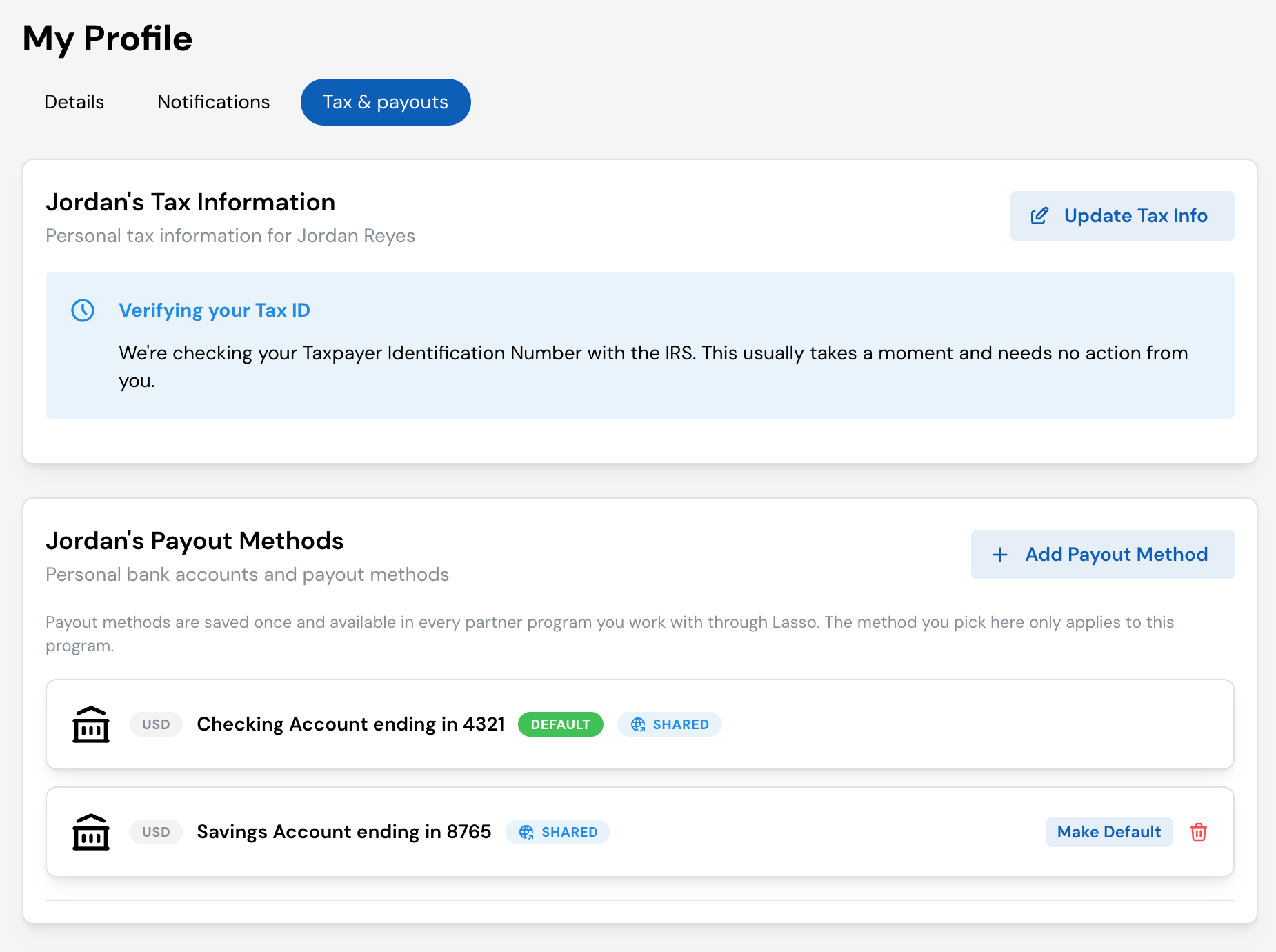
Confirming it’s you
Adding a payout method, switching which one is used, or deleting one changes where your money goes, so the portal asks you to confirm it’s you first. Lasso emails you a 6-digit code. Enter it to finish the change. The code expires after 5 minutes. If it doesn’t arrive or runs out, choose Resend code.
Lasso also emails you each time a payout method is added or your default changes. If you didn’t make the change, remove the payout method from your settings and contact support straight away.
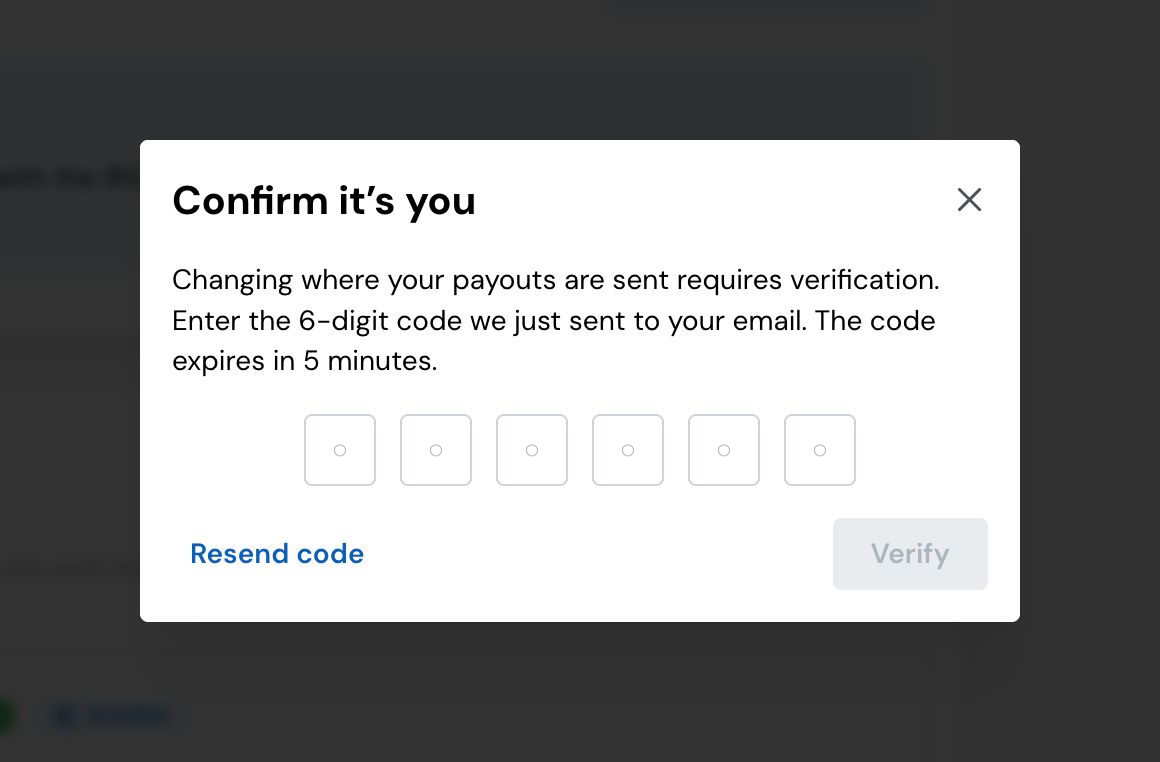
I work with more than one program
A bank account you add once is available in every program that runs on Lasso. It shows a Shared badge. Your default is chosen per program: the method you pick with Make Default only applies to the program you’re in, so different programs can pay you into different accounts. If you have payments waiting when you set your first default, they go out to that method automatically.
Processing fees
Lasso pays you on your program’s behalf. Some programs have a processing fee on each payout, taken out before the money is sent to you. Others waive it.
You always see which applies to you before you add a payout method. The Payouts are made by OneLasso note on your payout setup screens says whether a fee applies and how much, or that fees are currently waived for you. If you have your own rate, it’s marked your rate. Your full payout terms are on the partner terms page linked from that note, and each payment’s breakdown shows the fee that was taken (see Tracking your payments).
Your tax form
Before money can be released, you provide a tax form. Your portal guides you to the right one for where you’re based, you fill it in once, and Lasso keeps it on file. If it needs attention, your portal shows a notice with a Correct my information button.
A verified tax form has to be on file before any payment can go out, even if your payout method is ready. If a payment seems stuck, this is the first thing to check.
For the forms, how verification works, what to do if your tax ID can’t be checked, and the year-end 1099-NEC and 1042-S, see Tax forms and IRS verification.
Following a payment from earned to received
A referral you sent closes and earns its reward. The amount you're owed is recorded against that referral.
Your program runs its payouts on its own schedule. Your earnings are gathered into a payment to you.
Lasso sends the payment to your chosen payout method, converting to your currency if needed.
The money lands in your bank account. The time this takes depends on your bank.
Tracking your payments
Open Payments in your portal to see everything you’ve been paid and anything on the way. Each payment shows its amount, date, and status, and which earnings it covers. Open a payment to see its full breakdown:
- Commission approved: the amount your program approved.
- Processing fee: any fee taken before sending, if your program has one.
- Sent and Rate applied: for a payment in a different currency, the amount sent and the exchange rate your transfer was completed at. The converted amount is confirmed once the transfer settles.
- You received (or You will receive, while it’s on the way): what reaches your bank.
- A reference to look for on your bank statement, so you can match the deposit, plus the date it was sent.
If a payment can’t be sent because something’s missing (usually a payout method or tax form), your portal flags it and points you to what to fix.
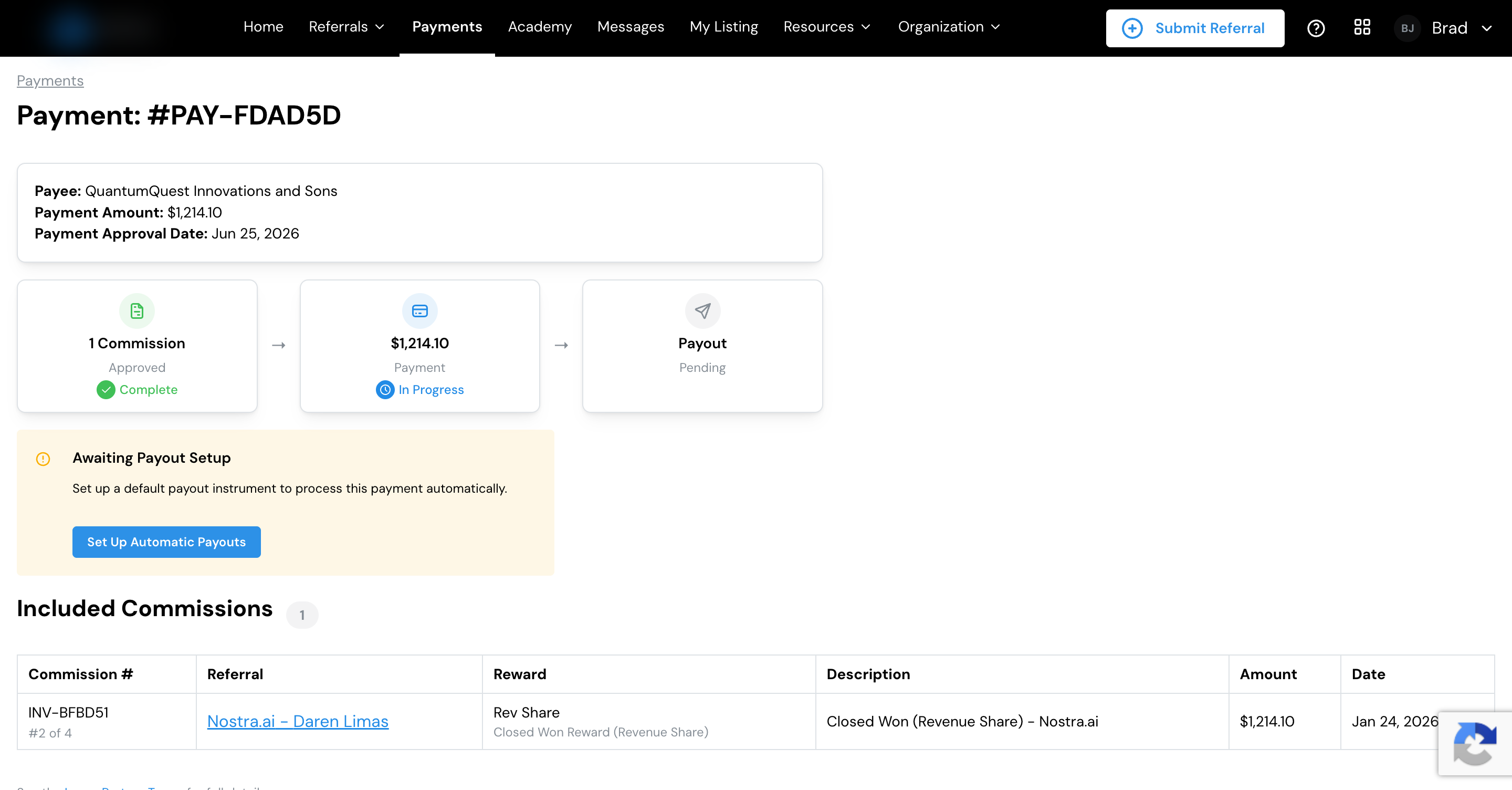
If a payment hasn’t arrived
Work through these in order:
- Check your setup is complete. A payout method and a verified tax form must be on file, and any agreement your program requires must be signed. Your portal shows a prompt if something is missing.
- Check the payment status. Open Payments and find the payment. Its status tells you whether it’s still being prepared, on its way, or needs something from you.
- Allow for transfer time. Once a payment is sent, how quickly it reaches you depends on your bank.
- Check your email for a returned payment. If your bank turns a payment away, for example because the account details are wrong or the account is closed, the payment doesn’t arrive. If that happens twice within 90 days, Lasso removes that payout method and emails you to say why. Add a payout method with correct details (or make another one your default) so your payments can go out again.
- Still stuck? Contact your program’s partner manager from the portal. They can see your payout readiness and help you sort it out.
See how a referral moves from open to closed, and where your earnings show up along the way.