

Find your way around
Here’s what each part of your portal is for. Your program chooses which sections you see, and your role controls what you can do, so you might not see every area below.
Your dashboard
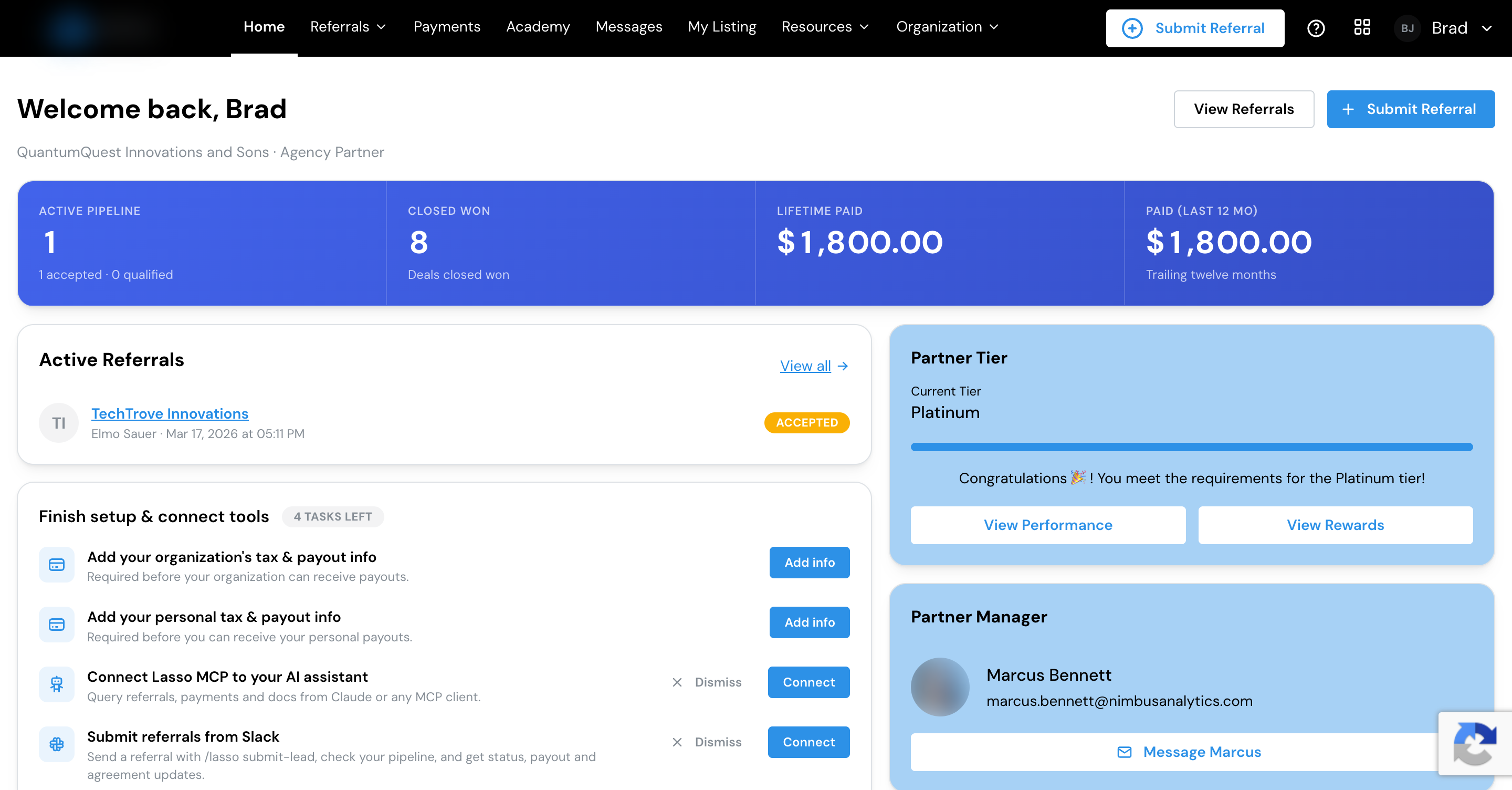
Your home screen shows where you stand at a glance:
- Your setup checklist: the things still left to do, such as adding your tax and payout details, linking Slack, or completing your directory listing. See below.
- Ways to send leads: the ways you can send a lead to your program (see Submit a referral). Dismiss any you don’t need.
- Your tier progress: your current tier and what’s needed to reach the next one, if your program uses tiers.
- Your numbers: a summary of your referrals by stage and what you’ve earned.
- Quick actions: submit a new referral or jump to your recent ones.
Your setup checklist
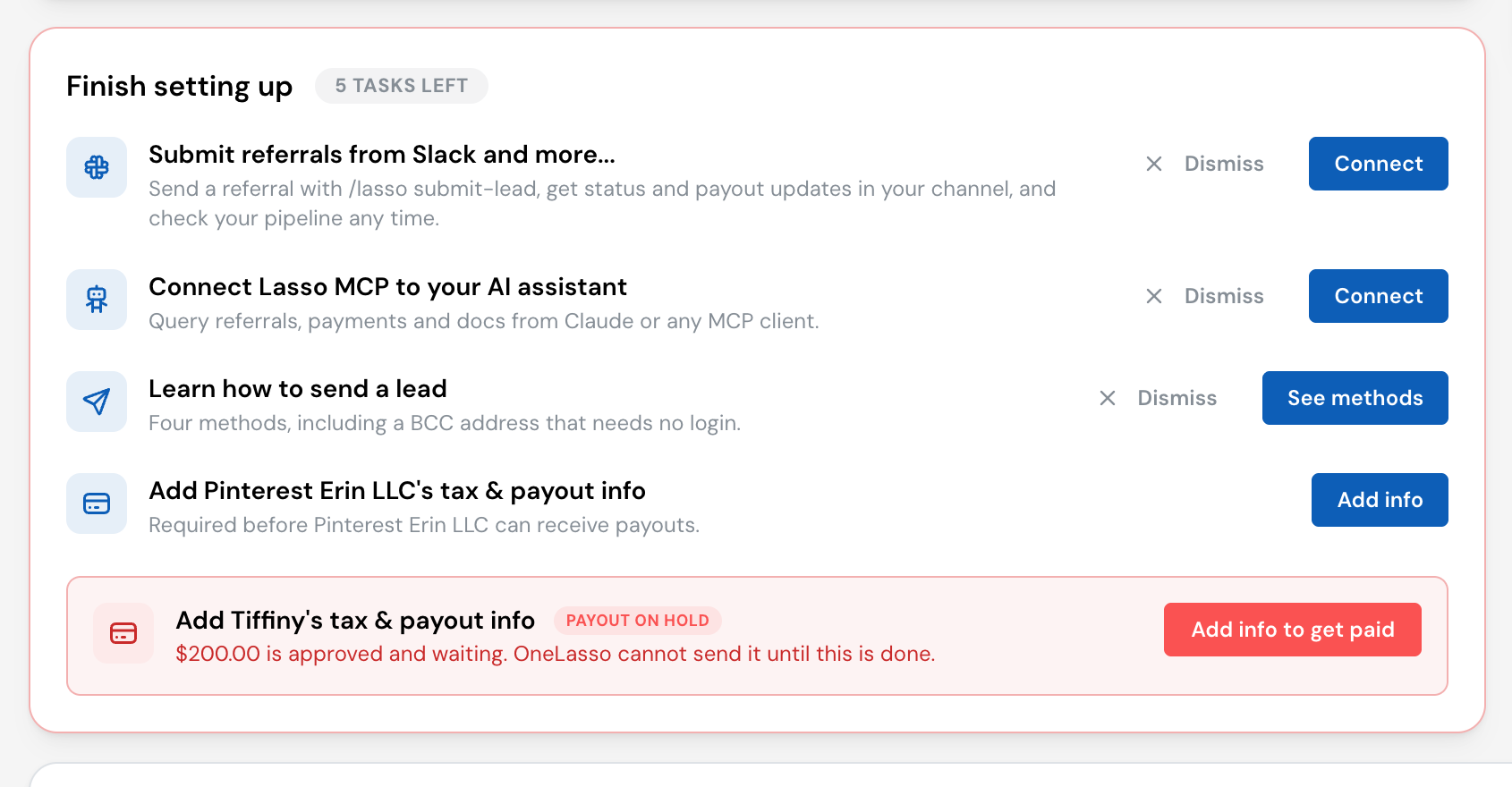
The checklist on Home collects everything that makes the portal work better for you. You can dismiss most items if they don’t apply. The tax and payout rows stay until they’re done, because they decide whether you can be paid, and they get more urgent as money starts to depend on them:
- Before anything is owed, the row simply reminds you to add your details.
- Once one of your referrals is accepted, it’s marked Coming up, so you can finish before a commission is approved.
- Once a commission is approved and waiting, it turns red, shows the amount waiting, and is marked Payout on hold until you add what’s missing.
If you’re paid both through your organization and personally, you’ll see a separate row for each.
The main sections
- Home: your dashboard, above.
- Referrals: submit new referrals and track the ones you’ve sent.
- Payments: everything you’ve been paid and anything on the way. See Get paid.
- Messages: notes between you and your program, if your role allows it.
- Profile (in the menu under your name): your personal details and role, which updates you get by email and Slack, and your tax info and payout method.
- Organization Profile, Partnership Info and Team: if you help run your side, manage your organization and your team. Agreements are here too, in the Partner Agreements card, and whenever one is waiting for you, in an alert on your dashboard.
- Resources, FAQs, and more: guides and materials your program shares with you, plus answers to common questions.
Your role decides which of these you see. For example, the directory listing, resources and events, and portfolio areas only appear if your role includes them. See Your team.
If your team uses Slack, you can also work with your program from there. See Use Lasso in Slack.
Tiers
Many programs have tiers you move up as you refer and close more. Your dashboard shows your current tier, and the Tier progress page shows what it takes to reach the next one. Some tiers can be earned more than one way; the portal shows the route you’re closest to as a progress bar, with any other routes listed beneath it. Reaching a new tier can change what you earn or unlock, depending on how your program is set up.
One login, more than one program
If you partner with more than one program that runs on Lasso, the same login can work across all of them. You’ll see a way to switch between the programs you belong to without signing in again, so you manage every partnership from one place.
Ready to start? Here’s how to send in a referral.