

Your team
If your role allows it, you can bring colleagues into your partner portal and control what each of them can do. Open Team from your portal.
Inviting a colleague
Add a member by entering their email and choosing their role. They get an invitation to activate their own login, the same way you did. Until they activate, they show as pending on your team list.
What roles control
A role decides what each person sees and can do, for example whether they can submit referrals, view payments, sign agreements, manage your directory listing, or manage your organization’s details. Give each colleague the role that matches what they need, so people only see what’s relevant to them. When you pick a role for someone, the portal shows a plain summary of what it can and can’t do.
What each role can do
Roles are named for the job someone does. Your program chooses which roles you can assign, so you may only see some of these, and your program can adjust what a role includes. By default:
| Role | Can typically |
|---|---|
| Primary / Admin | Do everything, including managing the team, your organization’s details, payments, and tax and payout setup |
| Executive | Do everything, like Primary / Admin |
| Sales | Submit referrals and track their own, add notes, view agreements, and see resources, events, and the portfolio |
| Marketing | Submit referrals and track their own, add notes, manage your directory listing, and see resources, events, and the portfolio |
| Operations | Everything Marketing can, plus manage the team |
| Finance & Legal | View your organization’s payments, manage payout methods and tax documents, and view and sign agreements |
Some areas of the portal only appear for roles that include them. For example, someone without directory access won’t see the directory listing, and someone without resources access won’t see resources and events. Anyone can check their own role, and what it allows, on the Details tab of their profile.
Your notification options follow your role. Someone who can’t see payments won’t be offered payout updates, so make sure whoever handles your finances has a role that includes payments.
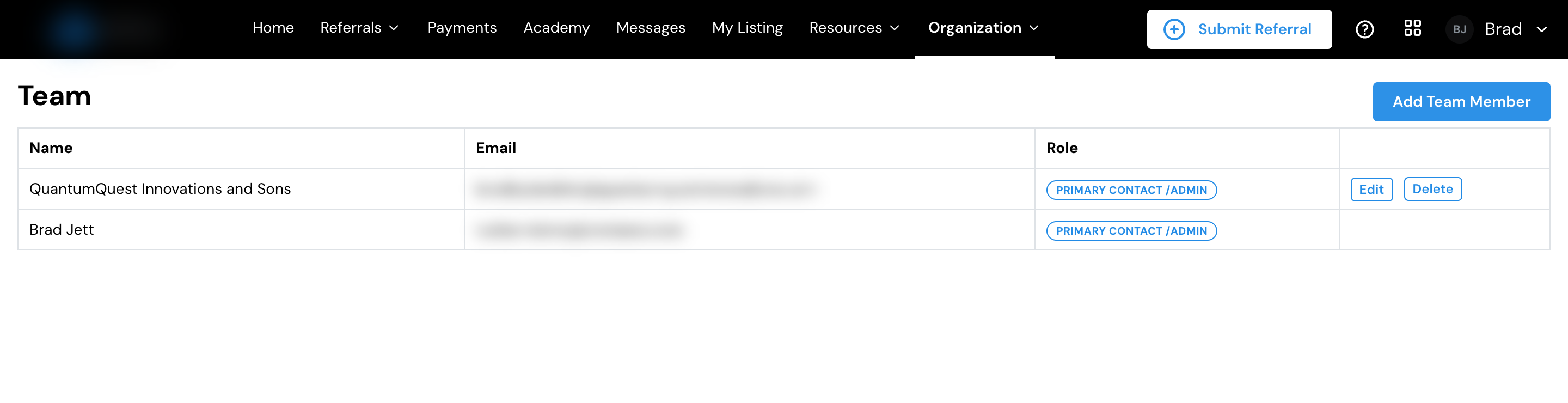
Managing your team
From the team list you can:
- See everyone’s status: their role and whether they’ve activated their account yet.
- Change a role: update what someone can do.
- Resend an invitation: if a colleague hasn’t accepted theirs.
- Remove access: take someone off the team when they no longer need it.
Make sure your organization’s payout and tax details are set so your team’s earnings can be paid.