

Sign agreements
Some programs ask you to sign an agreement before you can take part, or again when terms change. Your portal walks you through it, and everything is signed and stored right there.
Reviewing and signing
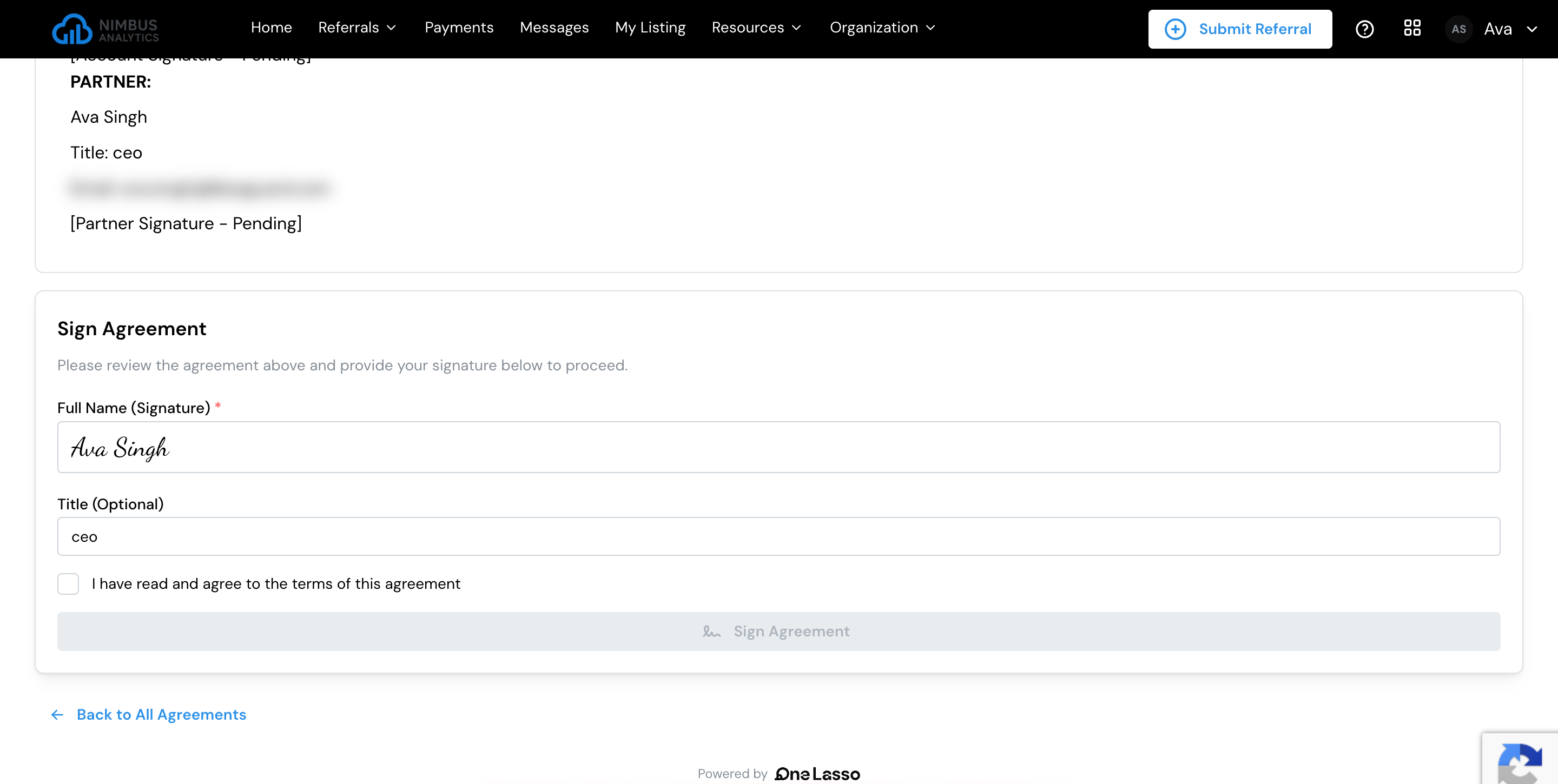
When an agreement is waiting for you, open it from the alert on your dashboard, the link in your email, or the Partner Agreements card on Organization Profile. Read it in full, then sign by:
- Typing your full name as your signature.
- Optionally entering your title or role.
- Ticking I have read and agree to the terms of this agreement.
- Clicking Sign Agreement.
Your signature is recorded with the date, so both you and your program have a clear record. Once you sign, you can carry on. If your program also has to sign, the agreement shows as awaiting your program’s signature until they do, and an agreement signed outside Lasso shows as Externally Signed.
Agreements you have to sign first
Some agreements block access until they’re signed. If one is waiting, the portal takes you straight to it when you sign in, and you’ll finish it before reaching the rest of the portal.
If there’s more than one, you sign them one after another. As you finish each, the next one opens automatically, until they’re all done. If you haven’t finished your setup yet, you continue to it; otherwise you reach your dashboard.
Who signs on your organization’s behalf
If you’re part of an organization, your program may name a specific person to sign on the organization’s behalf. What you see depends on whether that’s you:
- If you’re the signer, you’ll see the agreement and can sign it.
- If you’re not, you’ll see a note naming who needs to sign. Access opens up for everyone once they do.
If the named person can’t sign, use Reassign to someone else on the agreement to hand it to another member of your organization who can sign, or invite a new one.
If a blocking agreement is holding up your team, make sure the person named to sign knows. Once they sign, the block lifts for everyone in your organization.
Manage your organization’s details and find its agreements in one place.