

Track your referrals
Once you’ve submitted a referral, you can follow it all the way through. Open Referrals to see everything you’ve sent, each with its current status. The tabs filter it to All, Accepted, Qualified, or Closed Won.
The stages a referral moves through
Every referral moves through a series of stages. The exact wording can vary by program, but the shape is the same:
You've sent the referral in and it's recorded, waiting to be reviewed.
Your program has accepted your referral into the pipeline.
The referral has been vetted and is a real opportunity being worked.
The deal closed and earns its reward.
The deal didn't go ahead, so there's no reward. It stays on your list for your records.
A referral can also end another way:
- Rejected: your program declined it, so there’s no reward.
- Expired: it went cold and closed after its expiry.
- Churned: the customer you referred churned, so no further commissions are paid on it.
Opening a referral
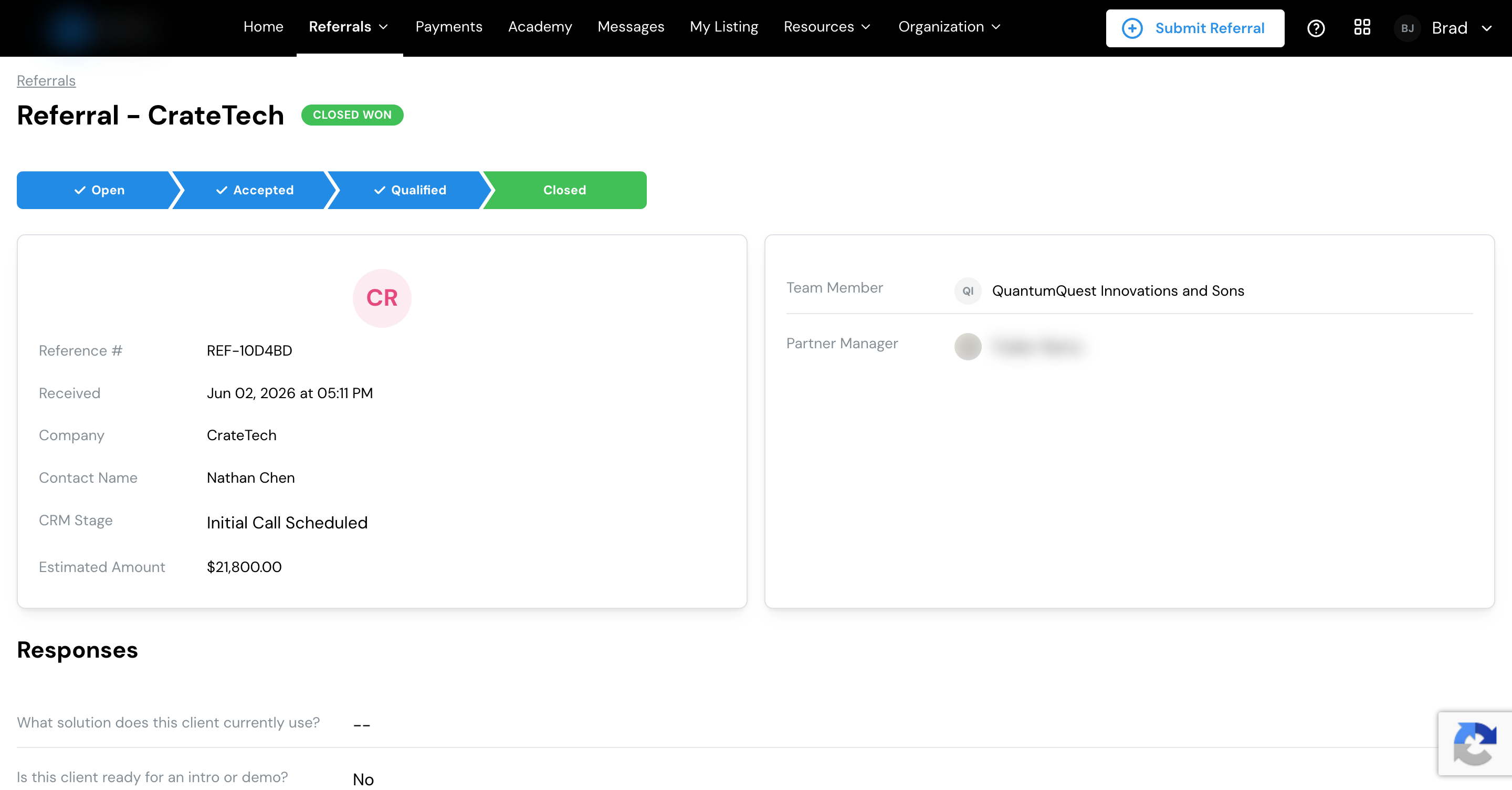
Click any referral to see its full detail:
- What you submitted: the company, contact, and your form answers.
- Where it stands: its current stage.
- Your reward: once it closes won, what you’ve earned on it.
- Related invoices and revenue: the amounts tied to this referral, where your program shares them.
- Notes and documents: anything attached to keep everyone on the same page.
Where your earnings show up
When a referral closes won and earns its reward, that amount is recorded against the referral. From there it’s paid to you on your program’s payout schedule, and Lasso sends the money to your payout method. You track the payments themselves under Payments.
See how earnings turn into payments, and how to set up where your money goes.