

Academy
Many partner programs need partners trained, or certified, before they’re ready to sell, resell, or represent your brand. Academy is Lasso’s built-in learning management system, so training lives next to the partner record instead of in a separate tool, and completion becomes something you can see and act on across your whole partner base.
Build a course
Create a course out of lessons and steps: rich text, video, PDFs, and quizzes (multiple choice, true/false, and short answer). You can write a course by hand or generate a first draft with AI and review it before publishing, and every AI-assisted piece stays a draft until you approve it.
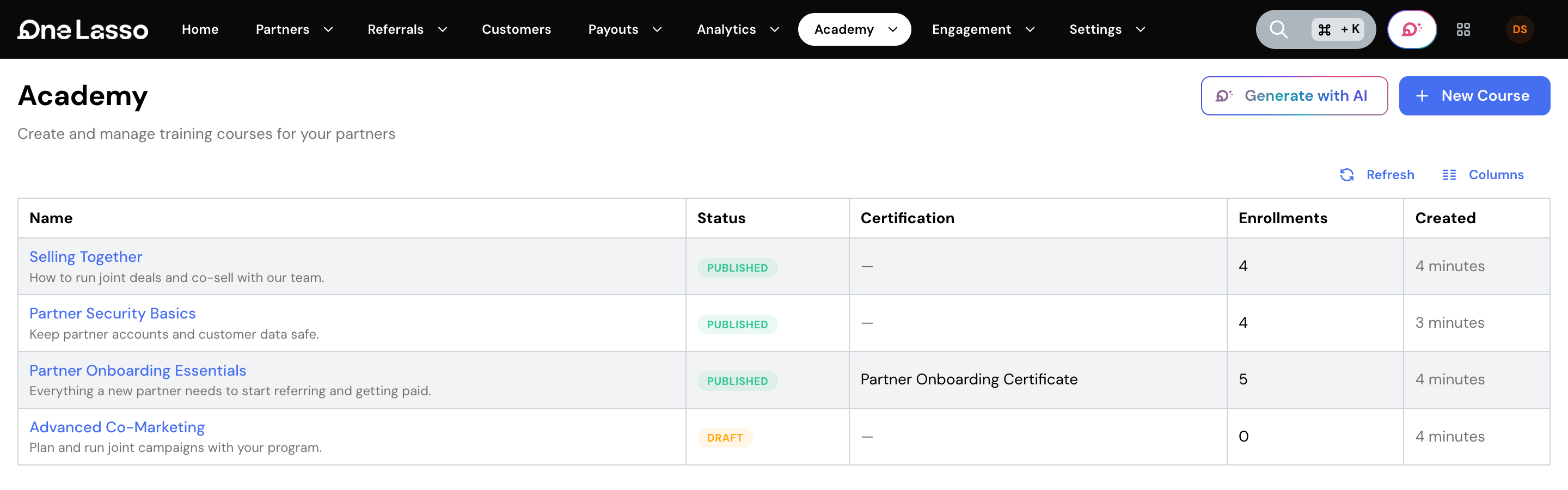
Enroll partners, automatically or in bulk
Set rules so partners are enrolled automatically based on their partner type, tier, or role, or enroll a specific group yourself. Either way, a partner sees their assigned courses waiting for them the next time they’re in the portal.
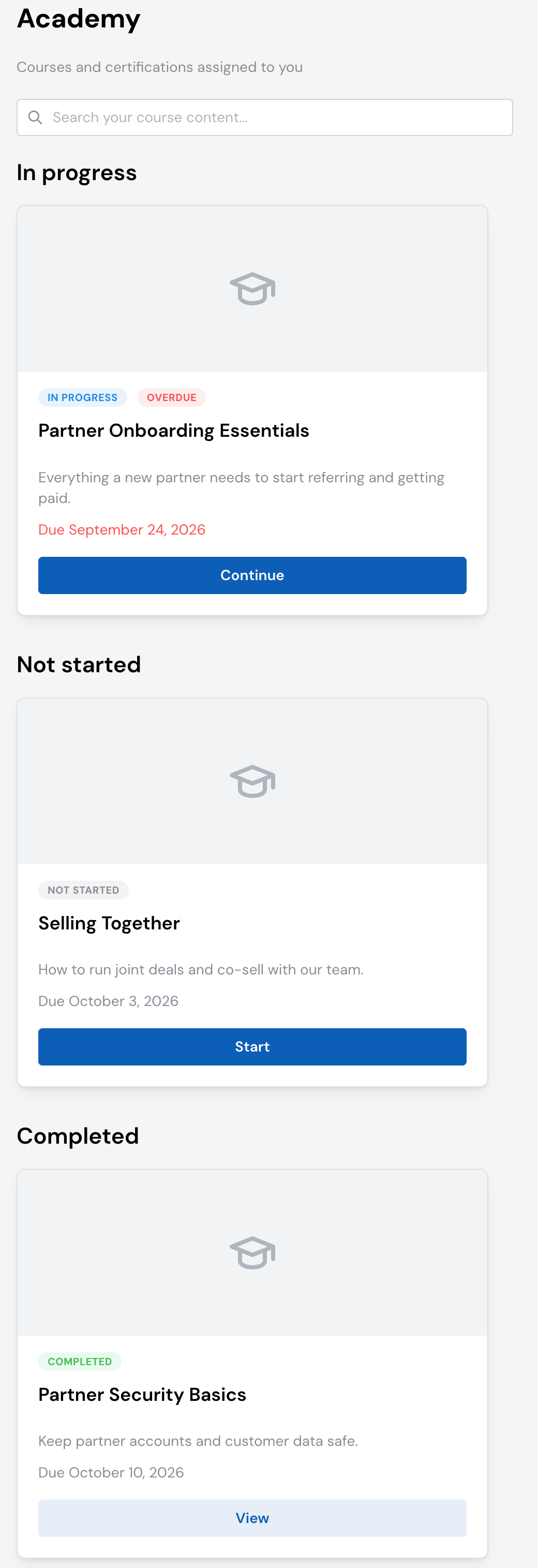
Partners learn in their portal
Partners see their courses grouped by status, with due dates, work through lessons in a guided player, take quizzes, and download a certificate on completion. Nothing extra to log into.
Track completion across your program
A Learning dashboard shows who’s completed what, who’s overdue, and course-level analytics, and course completion becomes a filter you can use anywhere you look at partners. A course can award a badge to the partner, and badges can carry an expiry date with reminders before they lapse, so ongoing compliance stays visible, not just a one-time checkbox.
See the full guide
The complete walkthrough, covering building courses, quizzes, and certificates, setting up auto-enrollment rules, and reading the Learning dashboard, lives in your Lasso account.