

Emails & notifications
A partner program runs on communication. Lasso sends the emails that keep everyone informed, so you don’t send them by hand, and lets you reach partners directly by email or in Slack.
What Lasso sends for you
Lasso sends emails automatically as things happen in your program:
- To your team: account and trial notices, and a regular digest of program activity.
- To your partners: invitations to the portal, agreement notifications, and updates as they earn and get paid.
They fire on the right events, addressed to the right people, branded to your account.
Payout emails
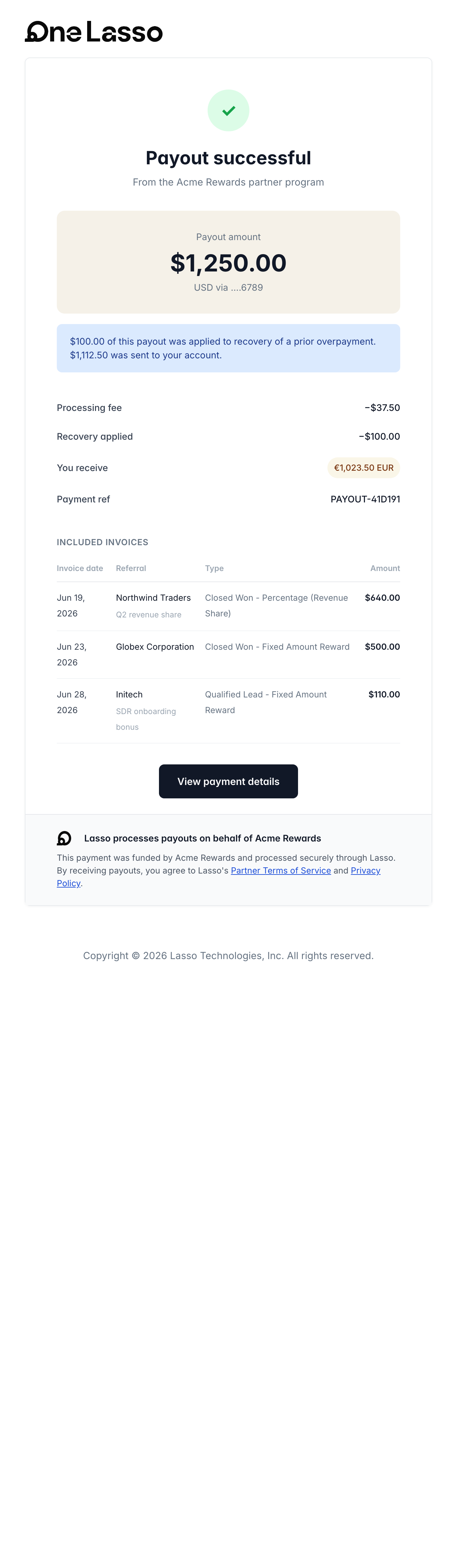
Partners are prompted to finish their payout and tax setup, reminded if a pending payment needs attention, and notified when a payment is on its way. Your team can be reminded when a payout is ready to review.
Make the emails your own
Every automated email is a template you can edit, with placeholders so one template greets each recipient by name and references their company, agreement, or reward. You can also send from your own domain so emails come from you, not from Lasso.
Reach partners directly
- Announcements: branded campaigns to all your partners or a segment, by email, Slack, or both, sent once or on a schedule, with open and click tracking.
- Automations: condition-based emails and Slack messages that reach a partner when something is true for them, for example they haven’t submitted a deal in a while. See Automations.
- Resource announcements: tell partners when you publish new materials.
Partners choose what reaches them
Partners pick which kinds of message they receive, by email and in Slack, from their own profile. Unsubscribing from one kind doesn’t stop the others, and you can see who has opted out before you send.
See the full guide
The complete walkthrough, covering editing templates, your sending domain, announcements, automations, and partner communication preferences, lives in your Lasso account.