

Partner directory
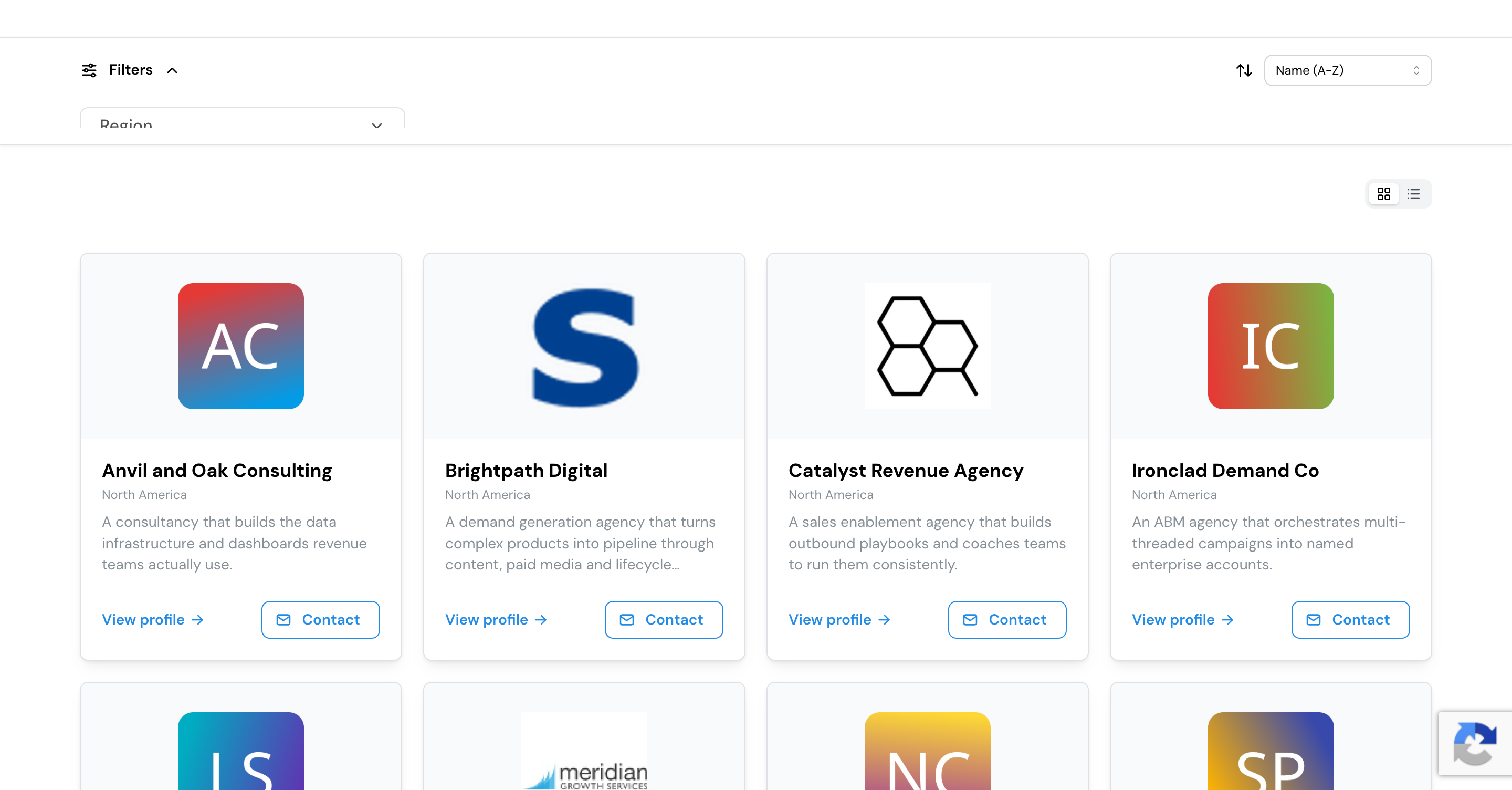
The partner directory is a public, branded page where anyone can discover the partners and integrations in your program. Visitors browse, search, and filter to find the right partner, then reach out, all without logging in. Your partners build their own listings, and you review them before they go live.
What it’s for
A directory turns your partner ecosystem into something prospects and customers can actually find and use. It’s a showcase that makes your program look as deep as it is, and a discovery tool that routes interested visitors to the right partner.
Built and submitted by your partners
Partners create their own listing from inside their portal: a description, logo, what their integration does, key features, use cases, the regions they serve, where they’re based, testimonials, client logos, resources, a media gallery, and how to get in touch. To save partners work, Lasso fills in details it can already find, like a company logo, so a listing starts mostly complete. Because partners maintain their own listings, your directory stays current without your team writing every entry. Nothing a partner submits appears publicly until you’ve reviewed it, and you can propose edits back to a partner if a listing needs a change before it goes live.
AI keeps listings high quality
A directory is only as good as its listings, so Lasso uses AI to raise their quality on both sides of the review:
- Partners get coached before they submit. Each partner sees a quality score with concrete, specific suggestions to improve their listing, so they can strengthen it before it ever reaches your team.
- Your reviewers get a head start. Every submission arrives with a read on how strong it is against your standards, so solid listings move through quickly and weak ones are easy to spot.
- Strong listings can go live on their own. If you choose, listings that clearly meet your bar can be approved automatically, so your team spends its time only where it’s needed.
You set the standards, in your own words, and stay in control of what goes live.
Yours to brand and shape
The directory is designed to look like part of your own site, not a generic embed:
- Branding and theming so the directory, the partner cards, and each listing page match your colors, type, and look.
- A hero and a header bar to introduce the directory, carry your navigation, and point visitors to a call to action.
- Filters you define, including ready-made facets like region, so visitors can narrow by the categories that matter in your program.
- Which partners appear, scoped by partner type, tier, or tags.
- Which sections show on a partner’s listing, so every entry stays consistent.
- Partner badges and tier badges you award, shown on partner cards and listings so visitors can see who’s vetted and how far a partner has grown with you, placed on the card where they suit your design.
- A custom domain, so the directory lives on your own web address.
You can tune a directory to its audience (an agency directory and an integration directory highlight different things), run more than one when you need different scopes, and set one as the default.
You decide when it goes public
Approving a listing and publishing a directory are separate decisions. Build the directory, review listings, and preview everything privately; nothing is public until you publish. Before you do, Lasso shows you exactly who will appear, and at any time you can see which listings visitors can reach right now.
Let visitors get in touch
Visitors can send a contact request to one or more listed partners straight from a listing. Those requests come to your team to route and track, so interest from your market reaches the right partner.
Set it up
The full walkthrough lives in your Lasso account: setting up the directory, getting partners to build their listings, and reviewing what goes live.