

PayPal and gift cards
Your program can pay you by bank transfer, PayPal or digital gift card. Bank transfer is always available. PayPal and gift cards appear only if your program offers them. This page covers PayPal and gift cards; for bank transfers, tax forms and following a payment, see Get paid.
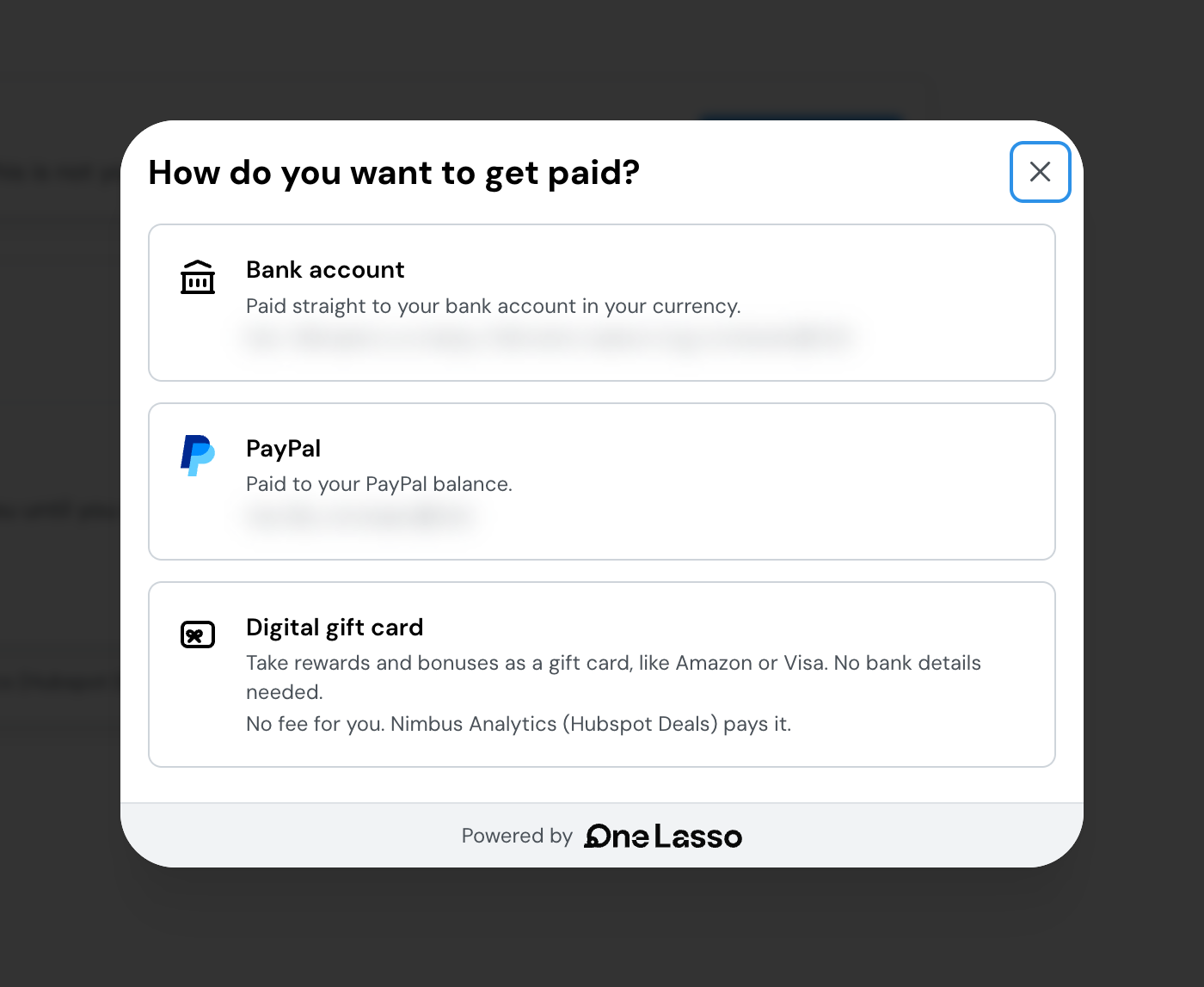
Open your profile, go to Tax & payouts, and look at How You Get Paid. If you’re paid as a company, the same card is in your organization’s profile. Choose Add or change payout method and the How do you want to get paid? screen shows what your program offers.
Which one to choose
| Bank account | PayPal | Digital gift card | |
|---|---|---|---|
| What it pays | Everything you earn | Everything you earn | Rewards and bonuses only, never commissions |
| Where it goes | Your bank account, in the currency you choose | Your PayPal balance | An emailed link to your pick of gift cards, such as prepaid Visa or major retailers |
| Currency | Converted for you | Paid in the currency of the payment | Paid in the currency of the payment |
| Who it’s for | Anyone | Anyone | Individuals, not businesses |
Each option shows its fee before you choose it. If your program pays the fee, it says “No fee for you.” Otherwise it shows the rate that comes out of each payout.
Get paid with PayPal
- 1Choose PayPalOn How do you want to get paid?, choose PayPal.
- 2Connect with PayPalSelect Connect with PayPal. You sign in at PayPal and come straight back to your portal.
- 3Confirm it's youLasso emails you a 6-digit code. Enter it to finish. The code expires after 5 minutes, and you can ask for a new one.
- 4Choose what it receivesIf your commissions don't already go to PayPal, select Use for commissions. This also asks for a code.
You see Your PayPal account has been connected. when it works. Because you sign in at PayPal, Lasso never asks you to type your PayPal address, so a typo can’t send money to the wrong place.
PayPal payments arrive in your PayPal balance in the currency of the payment, with no conversion. A payment’s detail page shows a PayPal transaction ID you can search in your PayPal activity. PayPal has its own limits and can hold a payment under its rules; if that happens, PayPal contacts you.
To remove PayPal, open the menu on its row in How You Get Paid and choose Disconnect. Every program that pays you through it will need another method.
Take rewards and bonuses as a gift card
A gift card is an option for rewards and bonuses from your program, such as a payment when a referral qualifies. It isn’t used for commissions or revenue share, which keep going to your bank or PayPal.
- 1Choose Digital gift cardOn How do you want to get paid?, choose Digital gift card. If you haven't said whether you're paid as an individual or a business, you're asked first. Gift cards are only for individuals.
- 2Add the gift cardSelect Add Gift Card and enter the 6-digit code Lasso emails you. Adding the card doesn't change how you're paid yet.
- 3Turn it on for rewardsConfirm Use Gift Card. From then on, eligible rewards and bonuses from your program arrive as a gift card.
Your gift card is sent to the email address you sign in with. When a reward is paid, you get an email with Choose Your Brand, and you pick the brand when you open it. You can also open it from the payment in your portal with View Reward. Only the person whose sign-in email the card was sent to can open it.
A gift card can’t be refunded once you’ve redeemed it.
To go back to cash, open the menu on the gift card’s row and choose Stop using for rewards. Your rewards then follow your commission method.
When a reward is paid as cash instead
You never lose a reward because a gift card wasn’t possible. It is paid to your bank or PayPal instead when:
- you haven’t turned your gift card on for rewards;
- the payment includes a commission as well as a reward, because those are paid together as cash;
- your program doesn’t allow that kind of reward as a gift card;
- you’re set up as a business, or the amount is outside what a gift card can be sent for.
If you don’t have a bank account or PayPal either, your portal asks you to add one.
Individual or business
Gift cards are for people paid in their own name. If a tax form is on file, it decides: a form filed as a business means gift cards aren’t offered. Without a form, your own answer is used, and you can change it from the note on the gift card screen. If you’re paid as an organization, the organization needs a company email domain before it can answer.
Following a PayPal or gift card payment
Open Payments to see each one. Typical messages:
- Your payment was sent to your PayPal, with the amount, the date and the PayPal address.
- Your gift card was emailed, with a View Reward button.
- Your payment is ready as a gift card, with a Get Gift Card button, when a reward is waiting for you to choose how to receive it. You can also add a bank account or PayPal instead.
- Your payment is above PayPal’s limit for a single payment, with an Add Bank Account button. Add a bank account and the payment goes there.
- Your payment is being prepared, when there’s nothing for you to do.
Payment details show the fee taken, if any, and how the amount was paid.
If something isn’t right
I don't see the PayPal or gift card option
Your program has to offer it, and gift cards are only for individuals. If you’re set up as a business, or an organization has no company email domain, gift cards aren’t shown. Ask your program’s partner manager about PayPal and gift cards.
My gift card hasn't arrived
It’s sent to the email address you sign in with. Check your spam folder, then open the payment in your portal and use View Reward. If your payment says a contact needs to sign in with the card’s email, sign in with that address.
I was paid in cash, not a gift card
See When a reward is paid as cash instead. Your payment’s detail page also says why in one sentence.
I can't connect PayPal
If you close the verification code box, you’ll see “Verification is required to connect PayPal.” Start again from your profile and enter the code. If the page says PayPal isn’t available right now, try again later.
PayPal is holding my payment
PayPal can hold or limit a payment under its own rules and will contact you about it. The payment finishes when PayPal releases it. If you’d rather not wait, add a bank account for future payments.
Set up a bank account, complete your tax form and follow each payment from earned to received.