

Partner portfolios
Some partners do more than send you referrals. They run accounts on your behalf: an agency that manages your merchants, a consultancy that looks after your implementations, a reseller that supports a book of customers. Partner portfolios give you a record of those relationships, so you can see who manages what and how those accounts are performing.
What you get
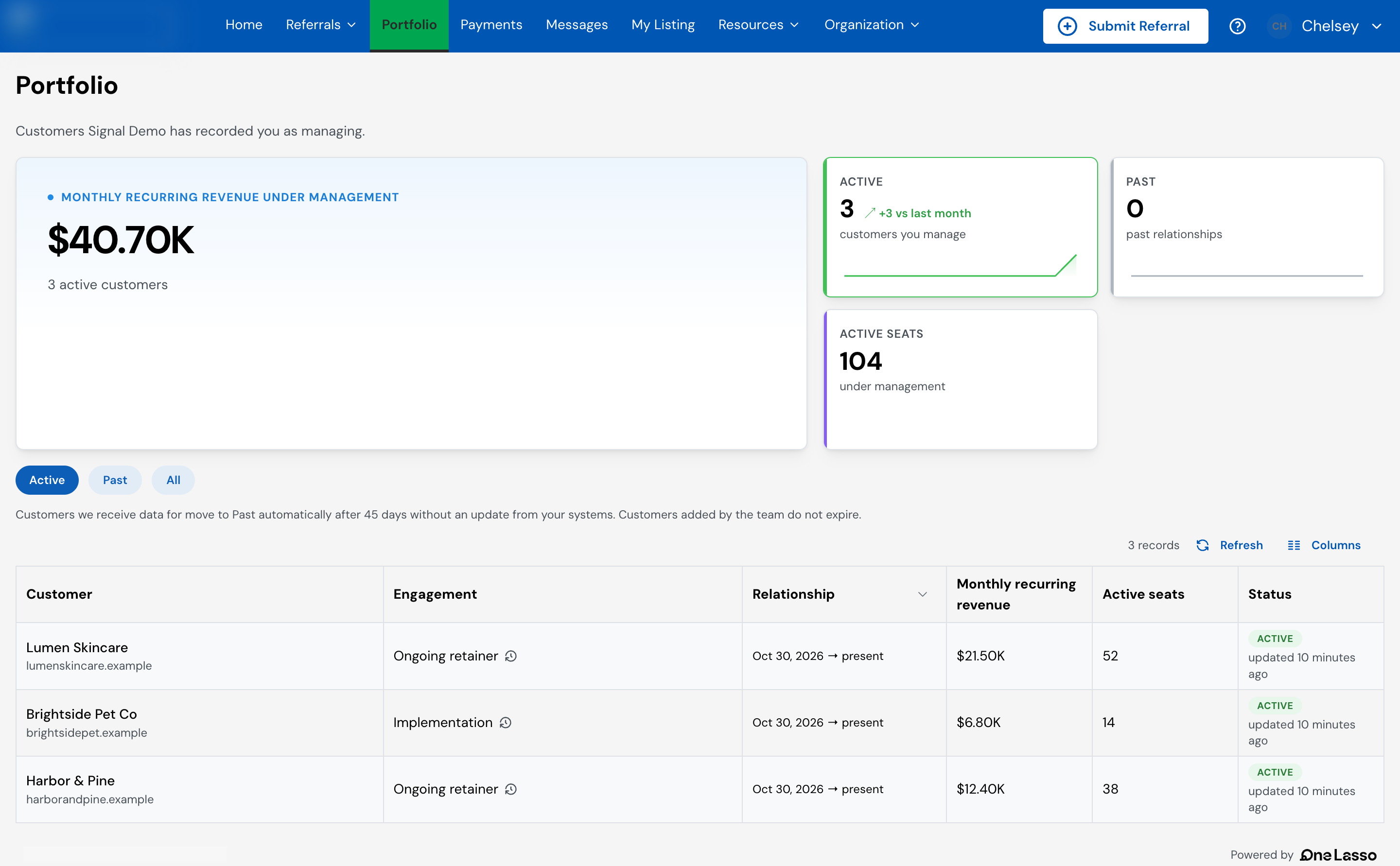
- A customer record for every managed account, linked to the partner or partners looking after it.
- The kind of engagement for each relationship, such as an ongoing retainer or a one-time project, so you can tell the types of work apart.
- Customer metrics you choose to track, such as recurring revenue, order volume or seats, kept up to date per customer.
- Portfolio analytics that roll those relationships and metrics up across your program, including a leaderboard of the partners managing the most.
- A portfolio in your partner portal, so each partner sees the customers you have recorded them as managing, and the metrics you choose to share.
- Input to partner tiers. Portfolio results can count toward a partner’s tier progress, alongside referrals and co-sold deals.
How the data gets in
Most programs feed portfolios from their own systems, through the Lasso REST API, so the data stays current without anyone keeping it by hand. Your team can also add customers and attach partners manually, and a closed-won referral can create the relationship for you.
Before you start
- Portfolios are an optional feature that Lasso turns on for your account. If you don’t see them, contact your account manager.
- Sending data through the API needs an API key whose role includes portfolio access.
- Your partners already exist in Lasso. Portfolio data attaches to partners you have; it does not create new ones.
Set it up
The full walkthrough, covering configuring engagement types and metrics, sending portfolio data through the API, checking that it landed, and keeping it current, lives in your Lasso account.